

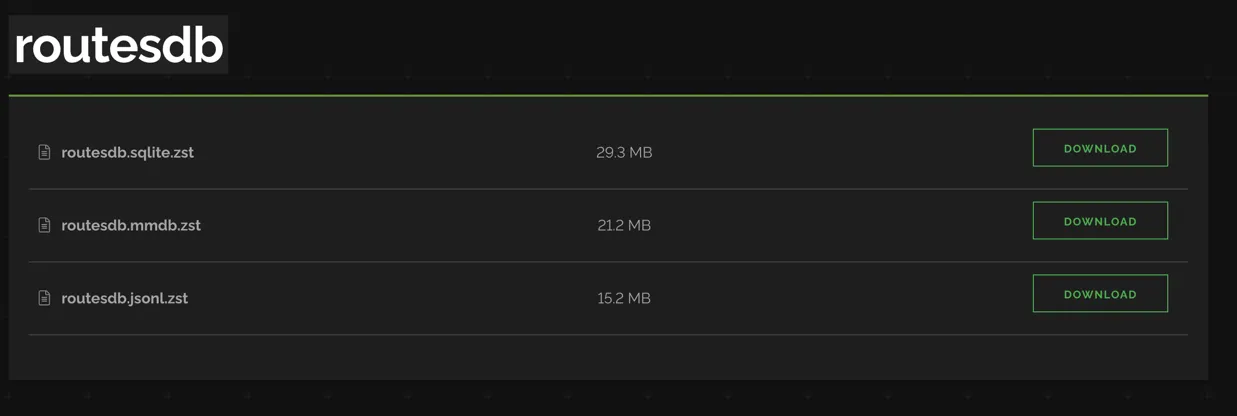
The RoutesDB dataset supports 3 types of file format- which were built based on the same internal dataset:
- SQLite database (
routesdb.sqlite.zst)
This format intends for users want to lookup the prefixes by Autonomous System Number (ASN) - MaxmindDB (
routesdb.mmdb.zst)
Optimize for fast lookup by IP Address - Jsonl format (
routesdb.jsonl.zst)
Jsonl offers a user-friendly structure that allows for quick data inspection.
Quickstart
Installation
Install ZSTD compression:
Ubuntu, Debian:
Terminal window apt install zstdMacOSX:
Terminal window brew install zstdBuild from source: https://github.com/facebook/zstd/releases
Install the Shodan command-line interface (CLI):
Terminal window pip install --user shodanInitialize the CLI using your Shodan API key. You can get your API key from the Shodan account website:
Terminal window shodan init API_KEYDownload the file (choose the format you want to use):
filetypecan be eithersqlite,mmdborjsonlTerminal window export filetype=sqliteshodan data download routesdb routesdb.${filetype}.zstRename and uncompress the file:
Terminal window mv routesdb-routesdb.${filetype}.zst routesdb.${filetype}.zst && unzstd routesdb.${filetype}.zst
SQLite
For most systems, there will not be much to install as SQLite is readily available across platforms. You only need a way to download the InternetDB SQLite file and a cronjob to periodically update it.
The SQLite file can then be queried using Python or any programming language that supports SQLite:
import sqlite3
# Load the SQLite databasecon = sqlite3.connect('routesdb.sqlite')cur = con.cursor()
# Grab information about CloudFlare's ASN (13335)cur.execute("SELECT prefix FROM route WHERE asn=?", (13335,))info = cur.fetchall()print(info)
MaxMindDB
On the other hand, MaxMindDB requires installation before using:
# pip install maxminddbimport maxminddb, sys, json
with maxminddb.open_database('routesdb.mmdb') as reader: ip = sys.argv[1] if len(sys.argv) > 1 else '1.1.1.1' record = reader.get(ip) print(json.dumps(record, indent=2, ensure_ascii=False))python3 routesdb_query.py 1.1.1.1Alternatively, you can use the command-line tool for quick mmdblookup
mmdblookup --file routesdb.mmdb --ip 1.1.1.1Jsonl
Jsonl is supported natively by the OS, so there is no installation required in order to read the file.
Sample Record
{ "prefix": "1.1.1.0/24", "asn": 13335, "country": null, "netname": "APNIC-LABS", "source": "ARIN", "org": null, "mnt_by": null, "tech_c": null, "admin_c": null, "as_name": "CLOUDFLARENET-AS", "descr": [ "Cloudflare, Inc.", "101 Townsend Street, San Francisco, California 94107, US", "+1-650-319-8930" ], "notify": null, "export_via": null, "import_via": null, "member_of": null, "mp_default": null, "changed": [ "rir@cloudflare.com 20171005" ], "org_name": null}Useful Links
- SQLite: https://www.sqlite.org/index.html
- MaxMindDB: https://maxmind.github.io/MaxMind-DB/
- Jsonl: https://jsonlines.org/
- Python module for MaxmindDB Reader: https://github.com/maxmind/GeoIP2-python
- ZSTD Compression: https://github.com/facebook/zstd